Writing YouTube descriptions takes forever, especially when you’re trying to get the first lines right, add links, credits, hashtags, and a clean call-to-action.
And sometimes you don’t even want to “write” a new description.
You just want to reuse a proven template from a successful video (yours or someone else’s) without starting from scratch.
That’s exactly what YouTube Video Description Copy tool is built for!
It’s free, does exactly what it says, and as a bonus it can analyze the description, highlight hashtags, and extract contact links (if any).

Why copy and paste descriptions?
A strong YouTube description is usually a repeatable structure, not a one-off masterpiece.
You’re often reusing the same building blocks:
- First lines that explain the video
- CTA to subscribe, watch next, download, etc.
- Links to website, social, resources, affiliates
- Credits for music, footage, sponsors
- Hashtags when relevant for extra reach
So if you already have a description that works, or you want to study what high-performing channels do, copying the description is the fastest way to build your own reusable template.
Introducing TunePocket YouTube video description copy tool
This tool lets you copy the plain-text description from any public YouTube video.
Then it immediately shows you a quick breakdown (and a score) so you can see what’s inside the description at a glance.
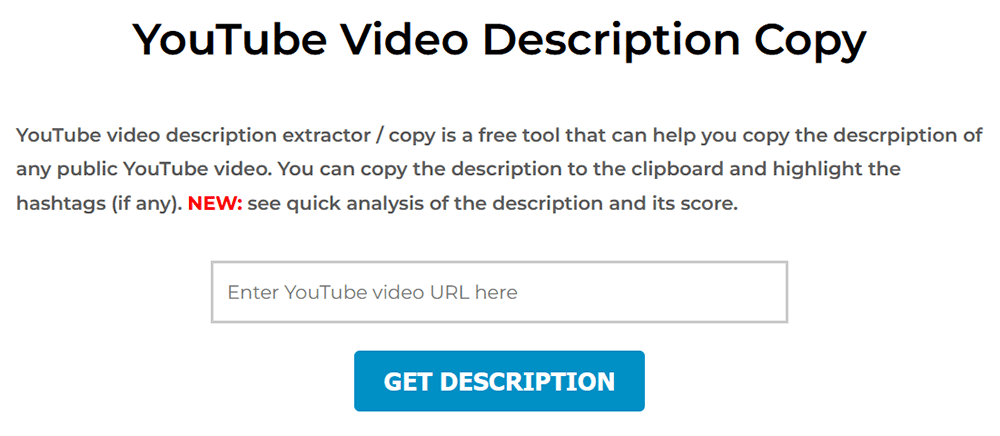
A picture is worth a thousand words, so here’s what the tool looks like. Simple, right?
How video description copy tool works
It’s super simple.
- Step 1: Copy and paste any public YouTube video link.
- Step 2: Click “Get Description”.
- Step 3: Copy the plain text description.You’ll see the full description in plain text with a clear copy button, so you can paste it into your own workflow (notes, docs, scripts, templates, or YouTube Studio). This is the “copy and paste” part that saves you the most time.
- Step 4: Use the analysis to improve your own template.This is where the tool stands out from most alternatives. It doesn’t just show the text. It analyzes the description and tells you what’s inside it.
What makes it different? quick analysis and score
The analysis panel gives you a fast quality check, so you can spot patterns in descriptions that perform well.
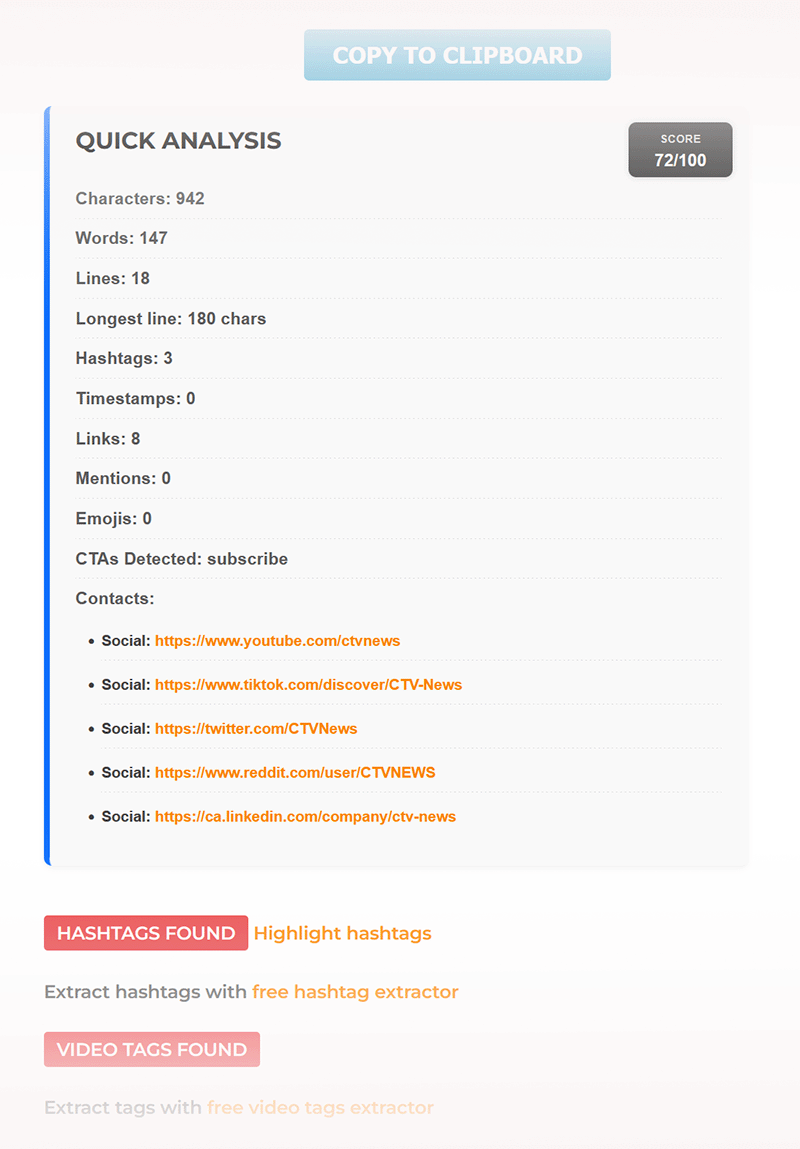
Here’s what you can see (and how to use it).
Score: a quick “at a glance” rating that helps you compare descriptions and decide if you want to borrow the structure.
Characters, words, lines: a fast read on length and formatting (useful if you’re trying to keep your description clean and scannable).
Longest line: a simple readability clue.
If the longest line is huge, the description will look like a wall of text on mobile.
Hashtags: how many hashtags are present, plus a highlight option so they’re easy to spot and reuse.
Timestamps: whether the description includes chapters (great for long-form videos and podcasts posted to YouTube).
Links: how link-heavy the description is (helpful if you’re modeling a “one key link” style vs a full resource list).
Mentions and emojis: quick indicators of style (some niches use these heavily, others avoid them).
CTAs detected: a fast hint of what action the creator is pushing (subscribe, watch next, etc.).
Contacts: extracted social/profile links when present (useful if you’re looking for official channel socials, press links, or collaboration contact paths).
Takeaway
If you’re looking for the best YouTube description copy and paste tool, you don’t need a complicated app.
You need a tool that:
- copies the description cleanly
- lets you reuse a winning template without retyping
- shows you what the description contains (hashtags, links, CTAs, contacts)
TunePocket YouTube Video Description Copy tool checks all of those boxes, and the quick analysis makes it genuinely more useful than a basic copy-only page.
Try it here: https://www.tunepocket.com/youtube-video-description-copy/
frequently asked questions
Is it okay to copy another channel’s description?
Use it as a structural template and inspiration, not as something to duplicate word-for-word. Keep your own links, your own offer, and your own voice.
Does this work for any YouTube video?
It works for public YouTube videos. If a video is private, age-restricted behind a wall, or otherwise inaccessible, the description may not be retrievable.
What should I copy from a “good” description?
Copy the layout. First lines, spacing, chapter style, link grouping, and CTA placement. Then rewrite the actual text to match your video and audience.
Facts box
Tool: TunePocket YouTube Video Description Copy.
Price: Free (with daily limit for free users).
Works with: Public YouTube video URLs.
Doesn’t work with: Private videos and restricted content that can’t be accessed publicly.
Bonus features: Description score and stats, hashtag highlighting, contact link extraction, and links to tags and hashtags extractors.

Subscribe to get notified about my new blog posts, freebies, and special offers